
Screen Recorder Video Recorder
Contains adsIn-app purchases

star
463K reviews

Everyone
info
10M+
Downloads


About this app
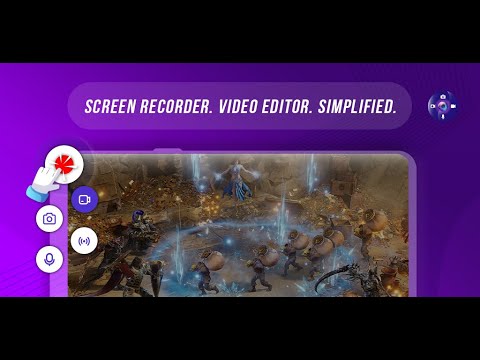
Screen Recorder is an all-in-one screen capture, game recorder, HD Screenshot and video editor for Android phone, no root required, and also the best gameplay record with internal/external audio.
Enhance your video creation experience with our Screen Recorder. Record tutorials, games, or video calls with internal audio recording for high quality. Easily video recording and editing trim, merge, compress, and crop videos, or add music to your recorded clips.
🎥 Capture your screen effortlessly with our powerful app recorder! Ideal for recording apps, capturing games, meetings, or lectures. Supports 4K download, high-quality audio recordings, and is your go-to sound recording app. Also works as a lecture recorder and recorder lessons for beginners. Includes the best free video editor for quick edits. Perfect screening and record audio app for all needs!
Create animated GIFs with the GIF maker and take screenshots with a single tap. Personalize content with blur effects, image and text editing, or hide watermarks for a polished finish. Enjoy high-quality video playback and engage with free mini-games during breaks.
🤳FaceCam
Using the front camera will help you capture & record video and mobile screen recording at the same time. This option is best feature for recording the tutorials of any app and helpful for app developers to record the videos.
🖌️Whiteboard
Now draw, create tutorials with a whiteboard screen.
📹Quality Analysis
This mobile app screen recording feature is helpful for the users to explain the problem they are facing in a particular app.
📱Screen Recording
Screen recording of any app available on your mobile device can be done in live application usage mode, like typing any message, record video calls, viewing any video or listening to any audio or anything available on the mobile screen can be recorded
Auto Recording
Auto recording enables you to capture and record your screen as soon as you open any app or game Manage the games that you want to enable this feature of auto recording.
🕵Monitor Usage
This high-quality screen recorder for Android can be useful to the parents for monitoring the usage of mobile by kids by mobile screen recording
🎨Draw on Screen
Draw text on screen while recording and trim videos with in-built video editor and recorder.
📶No internet needed
Video Screen recorder HD app doesn’t use any data/internet, as we don’t upload any recording to any cloud network or server. All the videos are recorded & saved locally on phone/SD card memory.
💾Cloud Storage
Users can create story telling presentations, videography of still pictures with help of this Screen Recorder tool and can upload it on video streaming cloud
🌟Video Sharing
User has the choice to share it through Facebook video, youtube, email, Bluetooth or any other sharing mode.
🎮Record Gameplay
Game users can record their gaming round while playing with Screen Recording video option in our app
⬆️Upload to YouTube
Video Screen recorder for Youtube video recorders, content creators and App Reviewers/Recorders can use this easy free tool for creating high-quality HD videos and upload & monetize the content on their own video channels
🎛️Professional Controls
This is the FREE app without any restriction to record screen and capture screenshots of your mobile screen, allowing recorders to choose options
• Quality of resolution & orientation
• Option to set the Frame and Bit rate
• Option to choose whether the Audio recording to be done or not
Share your feedback at support@AppScreenRecorder.com
Website: http://appscreenrecorder.com/
Record your screen, add face cam reactions, edit videos—create content easily!
Updated on
Safety starts with understanding how developers collect and share your data. Data privacy and security practices may vary based on your use, region, and age. The developer provided this information and may update it over time.


Ratings and reviews
445K reviews

A Google user
- Flag inappropriate
- Show review history
February 22, 2019
Have gone from 4 to 5 ⭐, after many months. Screen recording at its best, all types, pics, full screen, video capture, text capture, & more. App captures all this (remember u wanted a bit of screen info, and went long-winded route, e.g. saving the page, scanning it, even taking a pic with another phone, 😂 - took ages and was badly done, now this app, is very easy, excellent resolution pics and videos, hard to believe, pls try it, + post here if agree, or not, putting rep at risk, but happy.
20 people found this review helpful
AppSmartz
February 25, 2019
Dear user,
Thanks for your feedback.
A Google user
- Flag inappropriate
- Show review history
December 7, 2019
Was very good and reliable . Now when I want it to record the screen the app wants to show me a ad around 13 secs and offers me a reward , and I cannot even postpone the viewing . Who do ever has had this idea , he or she has made it from 5 stars to single star . Thanks for medling with a useful app.
1 person found this review helpful
AppSmartz
December 9, 2019
Dear user,
We are sorry for Ads. We will improve in the future and we will try to keep the Ads from interfering. Please let us know if you have any questions. Thank you.
A Google user
- Flag inappropriate
- Show review history
February 5, 2019
THIS APP WORKED WELL ON MY ANDROID. IF IT DOESN'T WORK FOR YOU, YOUR PHONE HAS A PROBLEM. ........ But I will like it if they can add features like video cropping and other editing stuff like text and video effects. But remember to make it lite.
1 person found this review helpful
AppSmartz
August 23, 2018
Dear user,
Thanks for your feedback. Please share your opinion about what missing feature you are looking to rate this app better. You can also email us at support@AppScreenRecorder.com
What’s new
- Join us as premium members to get an ad-free version.
App support
About the developer
GAMESEE PRIVATE LIMITED
gameseeapp.tv@gmail.com
H NO I-304 TDI WELLINGTON HEIGHTS TDI CITY SECTOR 117 KHARAR
Mohali, Punjab 140301
India
+91 84272 60007


