
TeamViewer QuickSupport

star
165K reviews

Everyone
info
50M+
Downloads


About this app
The QuickSupport app by TeamViewer allows you to get instant IT support for your mobile, tablet, Chromebook or Android TV.
In just a few easy steps, QuickSupport enables your trusted remote partner to connect to your device to:
• provide IT support
• transfer files back and forth
• communicate with you via chat
• view device information
• adjust WIFI settings, and much more.
It can receive connection requests from any device (desktop, web browser or mobile).
TeamViewer applies the highest security standards to your connections, ensuring you are always in control of granting access to your device and establishing or ending sessions.
To establish a connection to your device, you need to do the following:
1. Open the app on your screen. Connections can't be established if the app is running in the background.
2. Share your ID with your partner or enter a code into the ‘Join Session’ box.
3. Accept the connection request every time. Without your explicit permission, the connection can’t be established.
Connect only with users you trust. The app will provide you with user details, such as name, email, country, and license type, so you can verify the identity before granting access to your device.
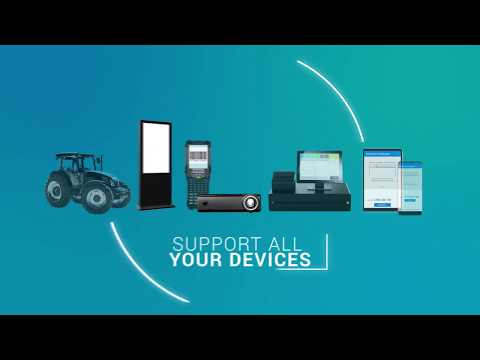
QuickSupport is available to install on any device and model, including Samsung, Nokia, Sony, Honeywell, Zebra, Asus, Lenovo, HTC, LG, ZTE, Huawei, Alcatel, One Touch, TLC and many more.
Key features include:
• Trusted connections (user account verification)
• Session codes for fast connections
• Dark mode
• Screen rotation
• Remote control
• Chat
• View device information
• File transfer
• App list (Start/Uninstall apps)
• Push and pull Wi-Fi settings
• View system diagnostic information
• Real-time screenshot of the device
• Store confidential information into the device clipboard
• Secured connection with 256 Bit AES Session Encoding.
Quick startup guide:
1. Your session partner will send you a personal link to the QuickSupport application. Clicking the link will start the app download.
2. Open the QuickSupport app on your device.
3. You will see a prompt to join a session created by your remote partner.
4. When you accept the connection, the remote session will begin.
Get instant remote assistance for your device
Updated on
Safety starts with understanding how developers collect and share your data. Data privacy and security practices may vary based on your use, region, and age. The developer provided this information and may update it over time.
- No data shared with third partiesLearn more about how developers declare sharing
- This app may collect these data typesPersonal info, App activity, and Device or other IDs
- Data is encrypted in transit
- You can request that data be deleted


Ratings and reviews
147K reviews

Chris
- Flag inappropriate
October 17, 2026
we kept getting kicked off finally got a hold of some the connect lost and he didn't call. back. ill call tomorrow. I understand stand items where out of stock. and he was going to reimburse me. HELP
5 people found this review helpful

Arijit Majumder
- Flag inappropriate
October 25, 2026
Horribly difficult to operate. Defeats the whole purpose of having an app.
1 person found this review helpful

Paul Frischknecht
- Flag inappropriate
October 29, 2026
Works perfectly, Android permissions just hinder usability a bit.
1 person found this review helpful
What’s new
- Fixed a bug that caused font colors to display incorrectly in Dark Mode.
- Minor fixes and Improvements.
App support
About the developer
TeamViewer Germany GmbH
support@teamviewer.com
Bahnhofsplatz 2
73033 Göppingen
Germany
+49 7161 606921100


